
 United States
EasyReader for Windows 2026
Released:
New in EasyReader Version 2026.04
EasyReader App continues to deliver important maintenance updates that make reading more accessible and empower readers with vision impairments, dyslexia and other print disabilities to read independently.
This update enhances the reading experience in EasyReader, with a strong focus on making audiobooks easier and more accessible to use. Developed in response to feedback from SBS - our library partner in Switzerland - version 2026.04 introduces a range of improvements, including:
• New audiobook layout
• Improved navigation options
• New word spacing text settings
New Audiobook Layout
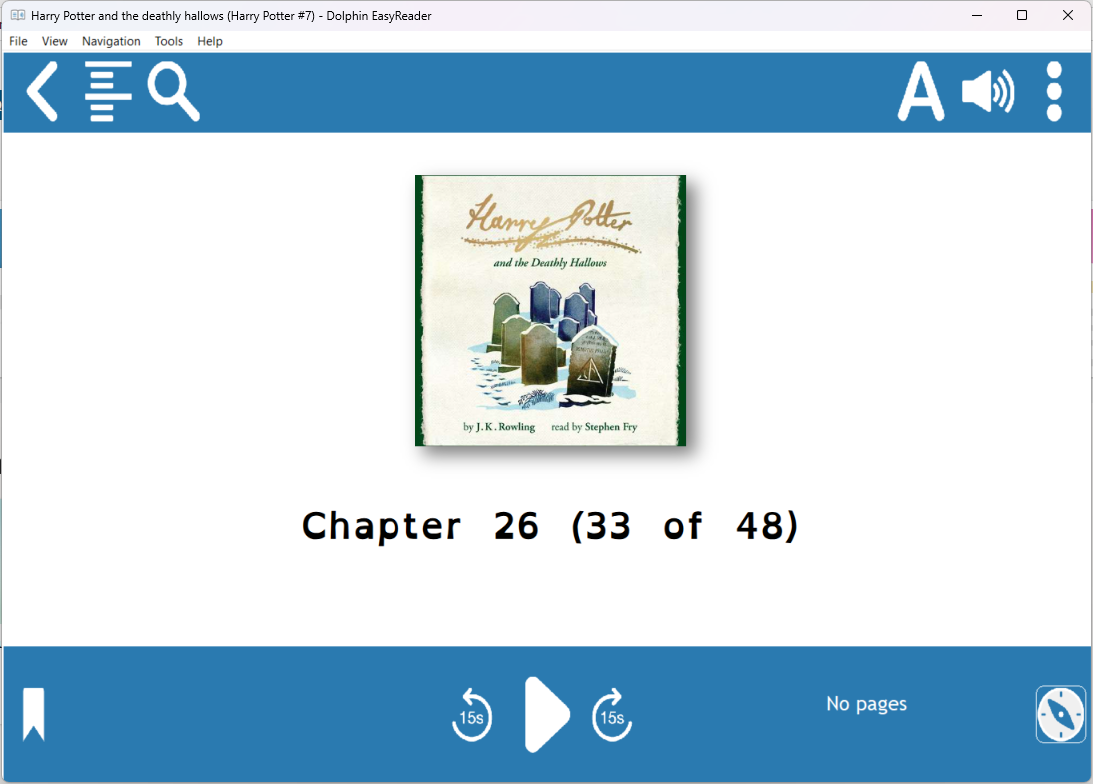
Navigate audiobooks easily with larger playback and navigation controls. Designed to be easier to find and use, so you enjoy a better reading experience that's fully accessible for people with vision impairments and dyslexia.
The controls are now larger and centred on the screen, making frequently used buttons more intuitive to use.
For an even more focused listening experience, you can switch to the new audiobook layout. With a larger play/pause button and fewer on-screen distractions, it's easier to stay engaged with your audiobook and access key controls.
This new layout is especially useful for people using assistive technologies, including AAC software, eye-tracking and switch controls.
You can turn it on or off at any time in Navigation Settings in the reader options menu.
Navigation Settings Changes
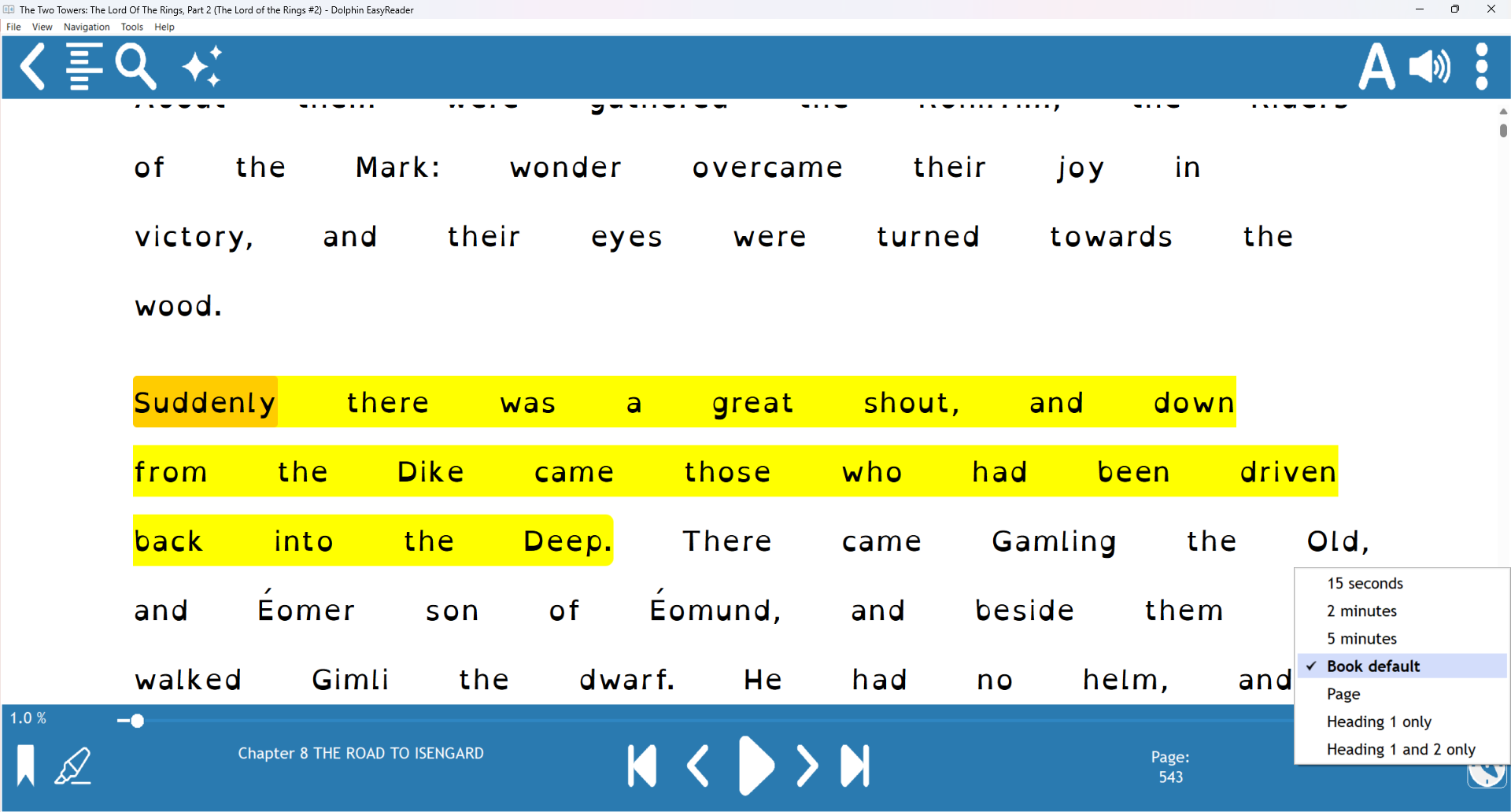
Find your place faster with quicker access to improved navigation controls. In version 2026.04, simply tap the compass button in the lower-right corner to choose how far the PREV and NEXT buttons skip to navigate your audiobook.
You can now set these buttons to skip by 15-seconds, 2-minutes, 5-minutes, default, headings and pages. Other navigation options are now located in the reader options menu in the top-right corner of the toolbar, making them easier to find when you need them.
Introducing Word Spacing
Make text easier to read and follow with new word spacing controls in EasyReader.
Adjusting the space between words improves readability, accessibility and visual comprehension, helping you find a reading experience that works best for you.
FIX: Android: Support for Media Controls
Control your audiobook easily, even when EasyReader isn't open. Version 2026.04 enables you to use full playback controls on the lock screen of your Android devices.
You can now play, pause and navigate audiobooks from the Notification Centre, giving you quick and convenient access to the controls you use most.
Additional Improvements
To improve the reading experience for all readers with print disabilities, a host of other bug fixes and improvements are included in the EasyReader 2026.04 release.
Library Services Around the World
Blind, partially sighted, dyslexic and print-impaired readers trust Dolphin EasyReader app, using it to read in ways that work best for them.
EasyReader app now gives readers free access to 50 accessible book and newspaper services globally. We partner with libraries and reading services worldwide to remove barriers to accessible reading.
Visit the EasyReader Libraries List to find the libraries you can access in your location.
EasyReader App version 2026.02 is available across platforms
• Windows
• iOS
• iPadOS
• Android
• Amazon Fire
You can also use EasyReader app on Chromebook, if your device supports Android apps.